> For the complete documentation index, see [llms.txt](https://docs.watzap.id/help/llms.txt). Markdown versions of documentation pages are available by appending `.md` to page URLs; this page is available as [Markdown](https://docs.watzap.id/help/integrations/integrasi-dengan-n8n/cara-membuat-workflow-n8n-dengan-waba-official.md).
# Cara Membuat Workflow n8n dengan WABA Official
Mengintegrasikan WhatsApp Business API (WABA) Official dengan n8n adalah pilihan tepat untuk mengotomatisasi komunikasi bisnis Kamu. Dengan fitur ini, pesan yang Kamu kirim akan lebih aman, stabil, dan dapat meningkatkan konversi.
Untuk panduan setting workflow n8n dengan WABA Official nya bisa ikuti langkah-langkah berikut ini:
Pertama, pastikan kamu sudah menggunakan **nodes WatZap versi v3.1.13** yang terbaru.
Kemudian, pastikan juga [**nomor WABA Official Kamu sudah terhubung**](/help/waba-official/cara-connect-nomor-waba-official.md).
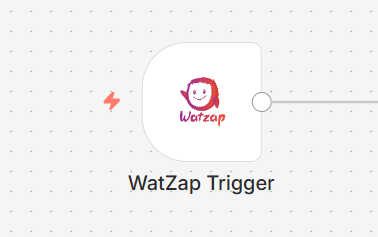
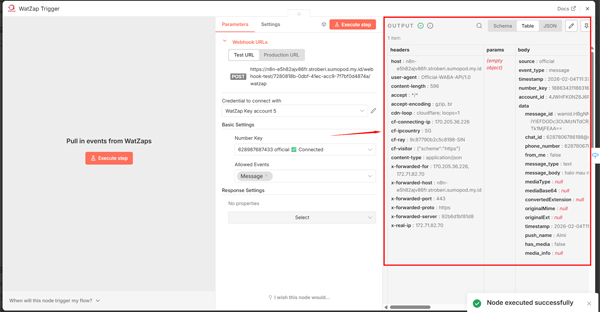
Setelah itu, gunakan node **WatZap trigger.**
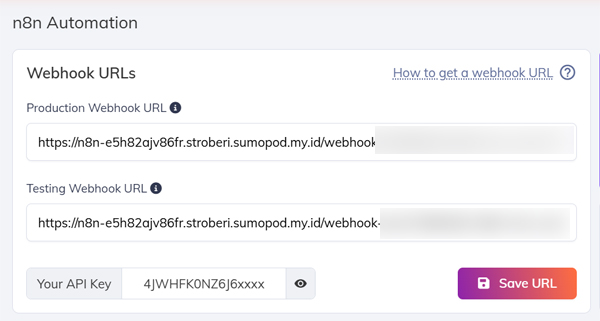
Lalu **set up WebHook** **URLs** nya.
Pastikan Webhook URLs nya di save di akun WatZap Kamu seperti ini.
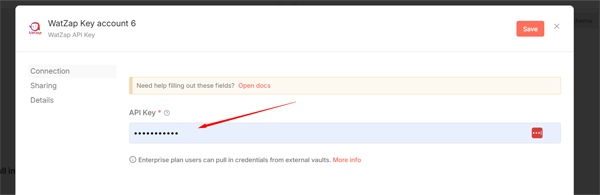
Selanjutnya, set up juga **Credential API Key WatZap**.
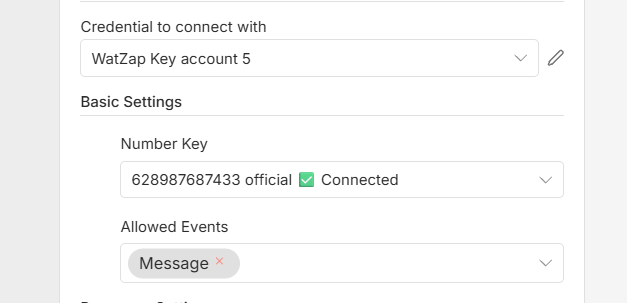
Berikutnya, pastikan status **Number Key Connected** seperti inidan Kamu bisa gunakan **Events Message.**
Kemudian, coba **Execute Step** dan chat ke nomor WABA Official Kamu dari nomor lain. Jika muncul data seperti ini, artinya set up WatZap Trigger berhasil.
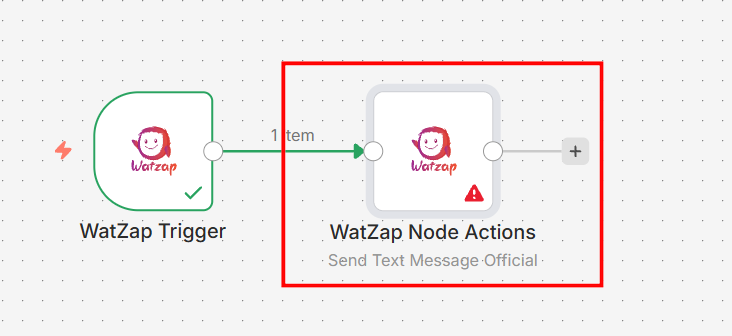
Setelah itu, tambahkan **WatZap node Actions.**
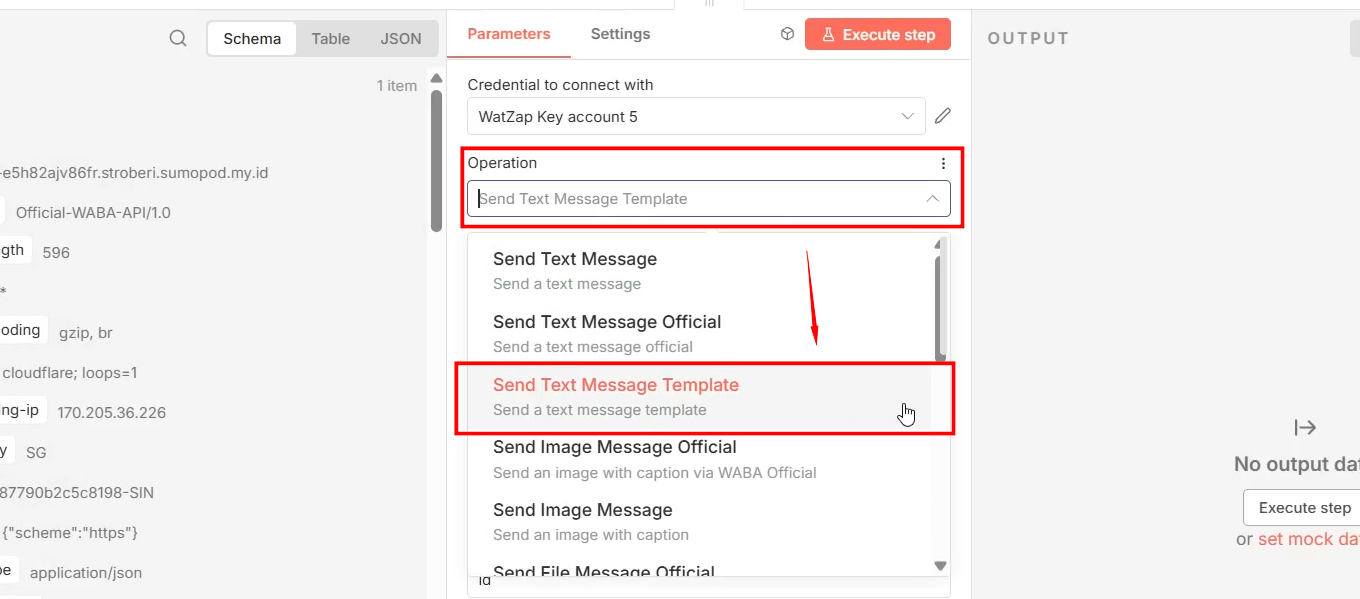
Kemudian, sesuaikan **Operation** yang ingin Kamu gunakan. Jika ingin respon chat customer menggunakan template, pilih yang **Send Text Message Official**.
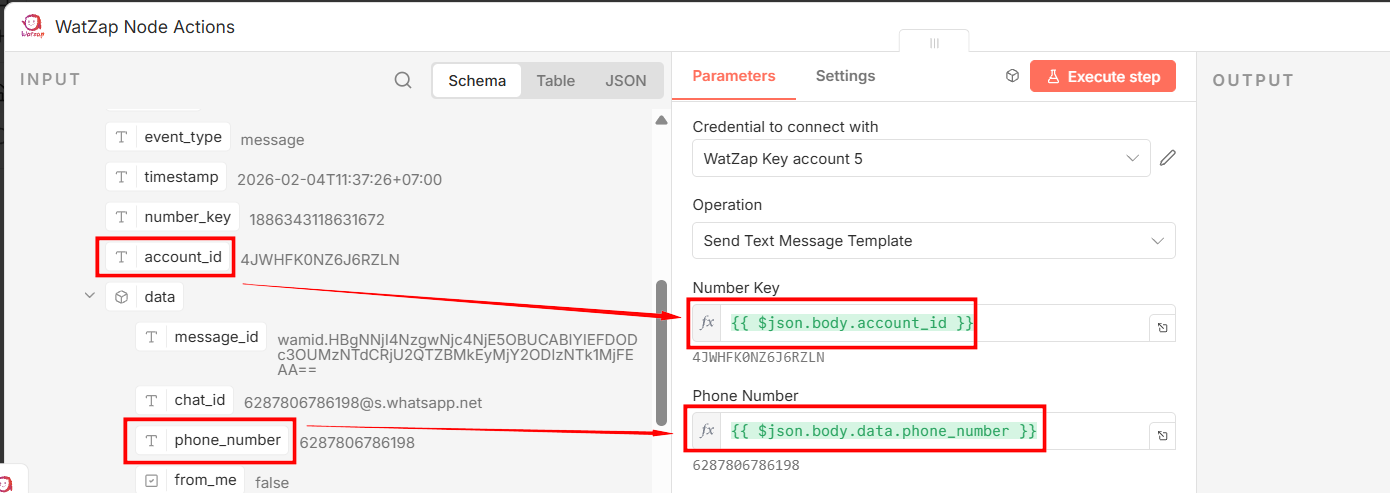
Langkah selanjutnya, set up parameter **Number Key = acount\_id** dan **Phone Number = phone\_number**.
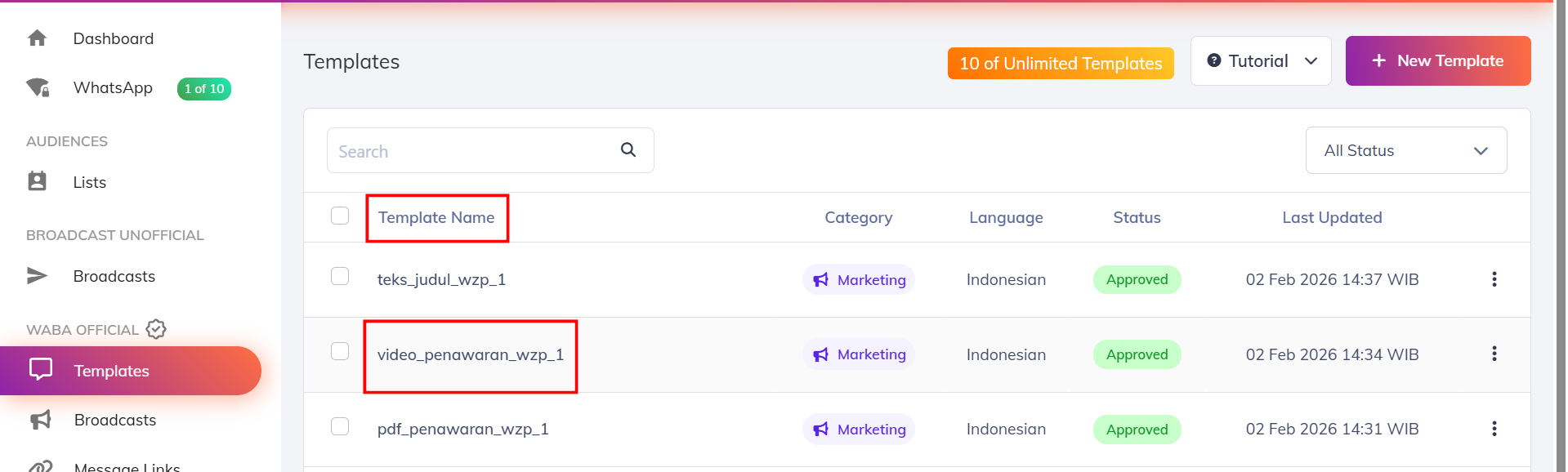
Setelah itu, masukkan nama template yang sudah kamu buat di dalam dashboard WatZap. Jika nama template kamu **video\_penawaran\_wzp\_1** seperti ini.
Maka masukkan nama template nya persis seperti ini di kolom template n8n.
Sesuaikan juga **Language** atau bahasa template nya.
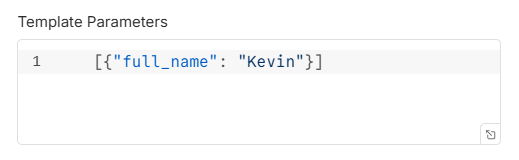
Kemudian, masukkan **Template Parameters** nya. Jika di dalam pesan template yang kamu buat ada variabel full\_name seperti ini.
Maka masukkan variabel **full\_name** tersebut seperti ini di n8n.
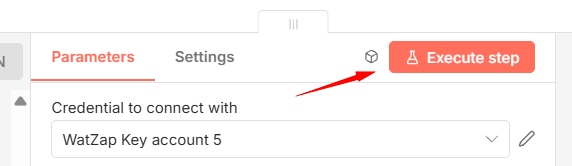
Lalu coba klik tombol **Execute Step**.
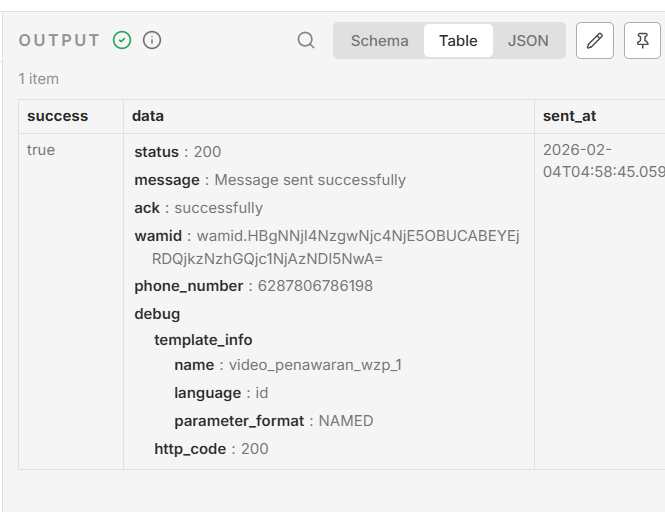
Jika muncul seperti ini, artinya workflow WatZap dengan WABA Official sudah berhasil dibuat.
Selesai.