# Cara Kirim Broadcast  WABA Official

Sebelum kirim broadcast, pastikan Kamu sudah **upload database kontak** di [**menu Lists**](/help/list/membuat-list-baru.md) dan sudah [**membuat template**](/help/waba-official/cara-membuat-template-waba-official.md) yang statusnya **approved**.

Jika sudah melakukan semua hal tersebut, Kamu bisa langsung membuat broadcast dengan mengikuti langkah-langkah berikut ini.

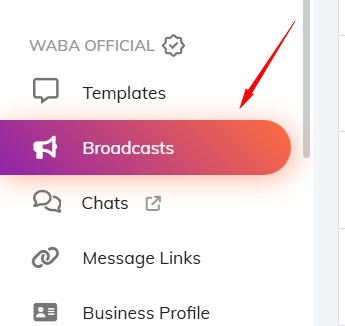
Pertama, kunjungi menu **Broadcasts WABA Official.**

<figure><img src="/files/sHS03j2e6MAF60qxHs0C" alt=""><figcaption></figcaption></figure>

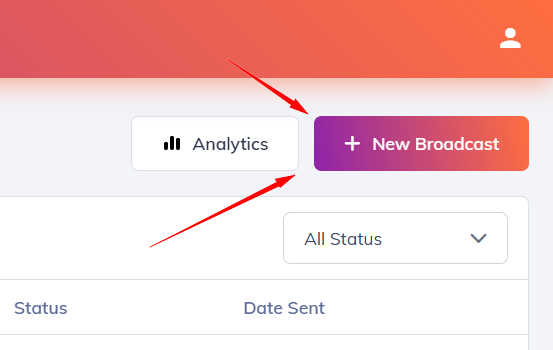
Lalu klik tombol **New Broadcast**.

<figure><img src="/files/nzxr8uXbBFmHPSpOFxr0" alt=""><figcaption></figcaption></figure>

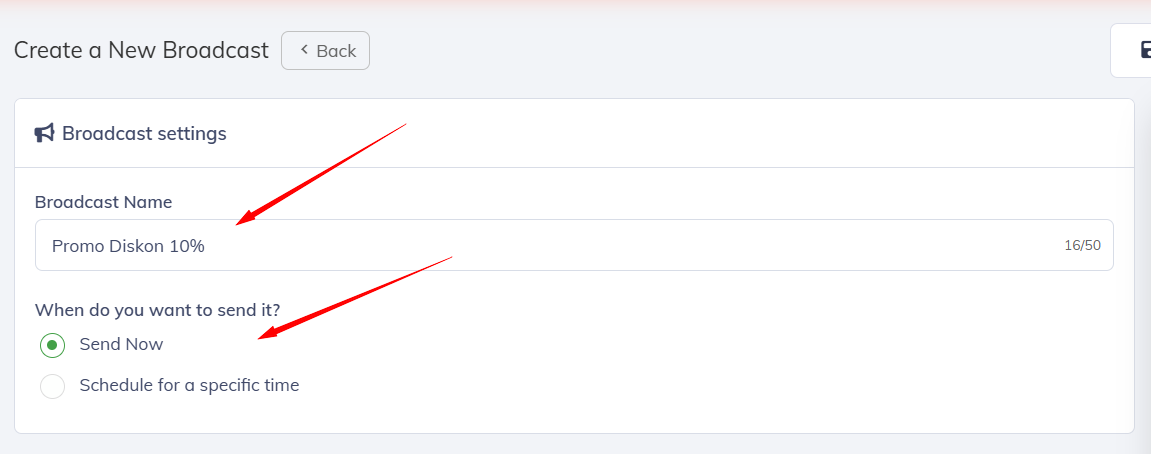
Kemudian, masukkan **nama broadcast** dan **pilih waktu pengiriman broadcast**.

<figure><img src="/files/jeKXWZ9hTL4FkarpNOk1" alt=""><figcaption></figcaption></figure>

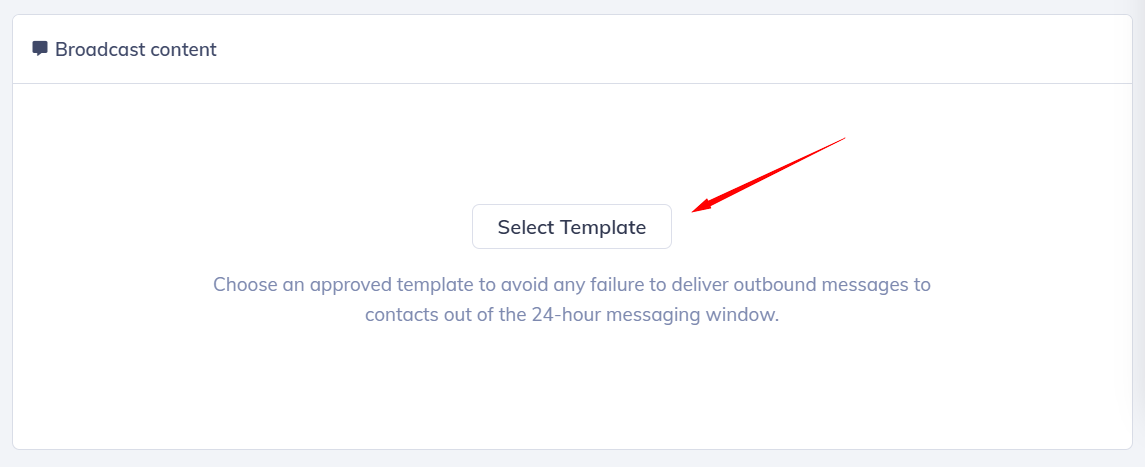
Setelah itu, di bagian Broadcast content, klik tombol **Select Template**.

<figure><img src="/files/IHke4t5WWy1l7S88EsgN" alt=""><figcaption></figcaption></figure>

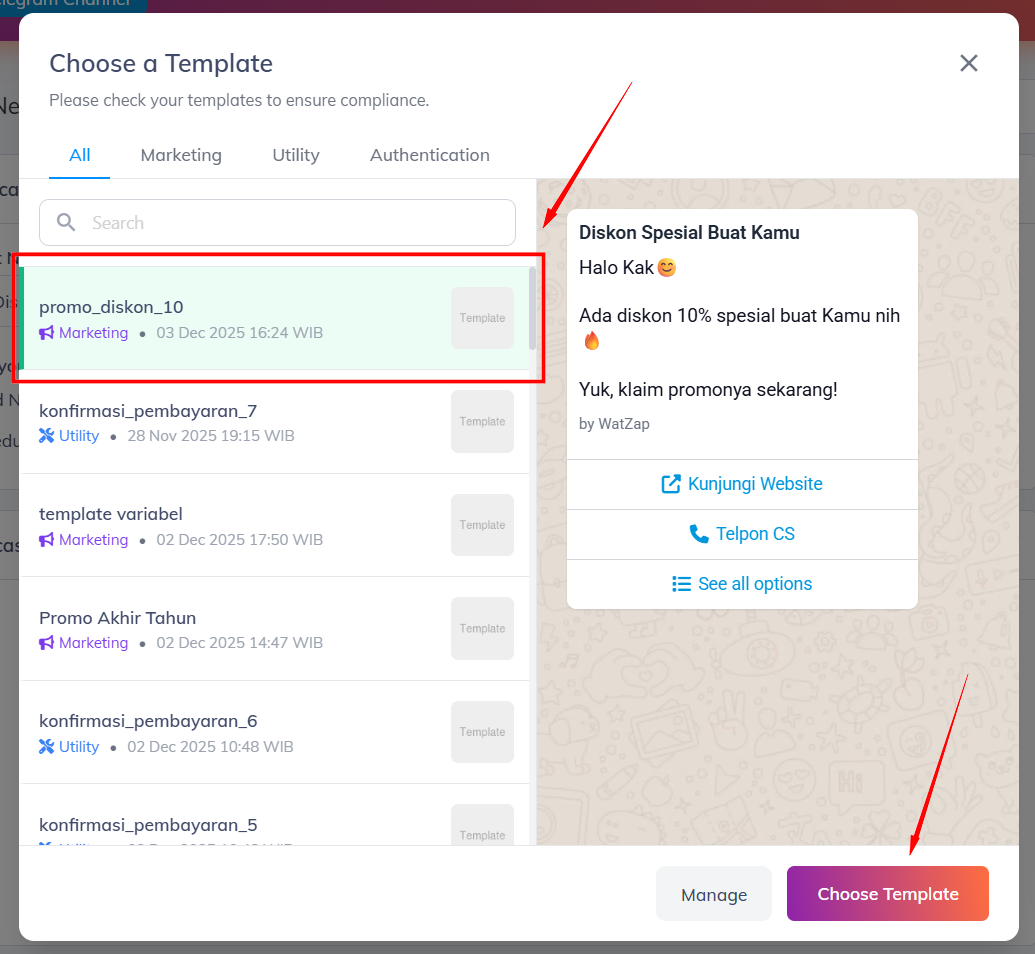
Selanjutnya, pilih template yang Kamu inginkan dan klik tombol **Choose Template**.

<figure><img src="/files/VCNI7hBXyyxArxlxwa25" alt=""><figcaption></figcaption></figure>

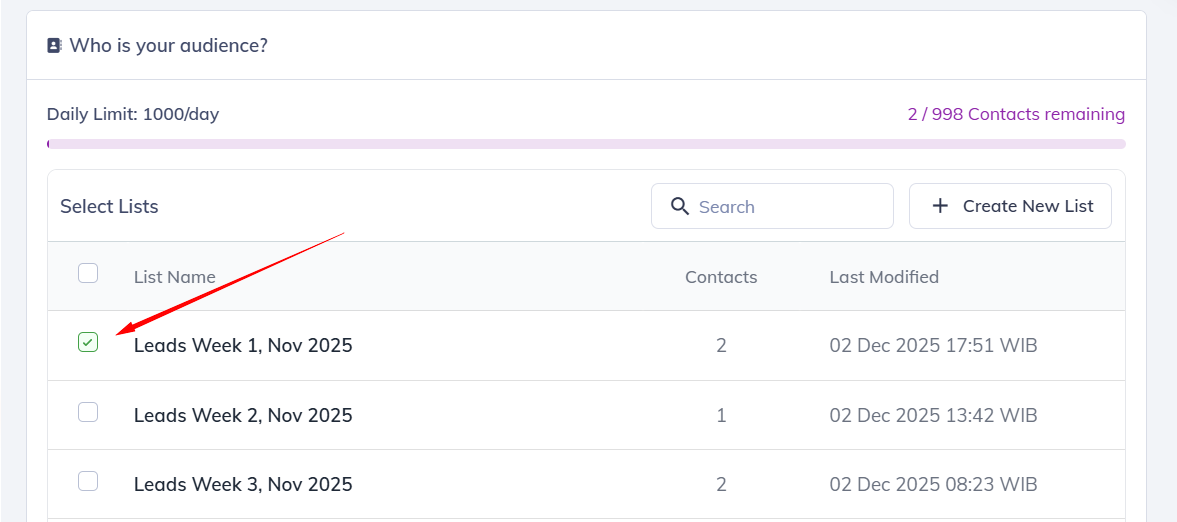
Scroll ke bawah, lalu ceklis list kontak target broadcast.

<figure><img src="/files/P7PQ92gsBGH2wbzEE2CA" alt=""><figcaption></figcaption></figure>

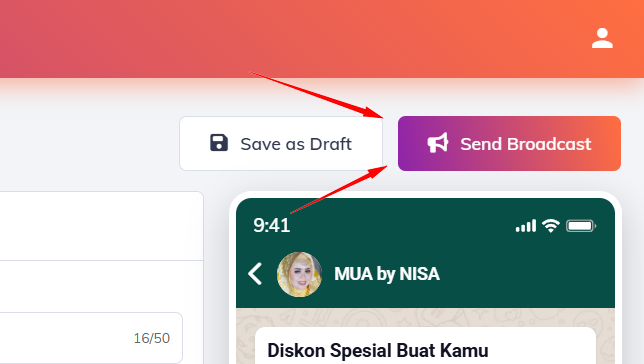
Jika sudah, scroll ke atas dan klik tombol **Send Broadcast**.

<figure><img src="/files/Dfb5TKWMAP1OvwCaipkm" alt=""><figcaption></figcaption></figure>

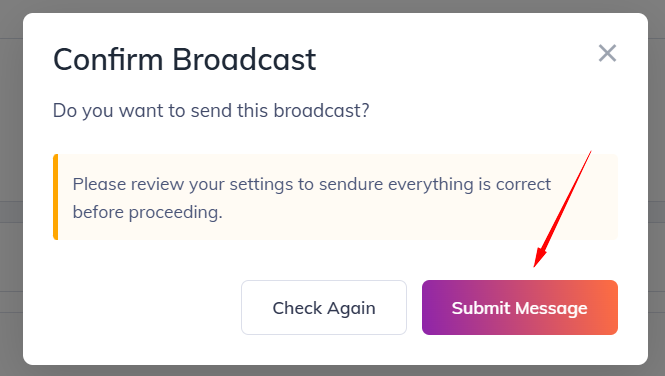
Lalu klik tombol **Send Broadcast**.

<figure><img src="/files/HPVKzajTHPMmDp6VCU45" alt=""><figcaption></figcaption></figure>

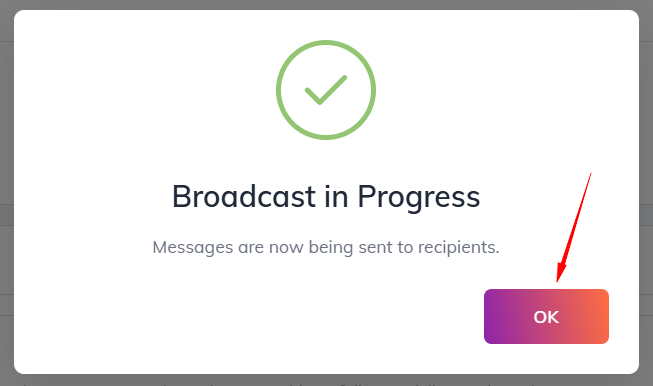
Klik **OK**.

<figure><img src="/files/adhXXssmt0UcnCERSM4F" alt=""><figcaption></figcaption></figure>

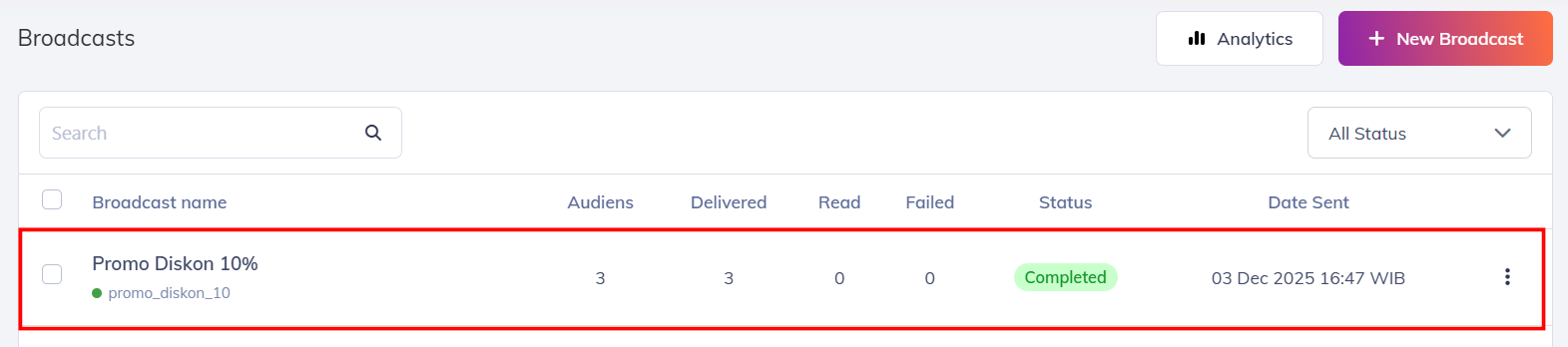
Maka broadcast akan langsung otomatis terkirim.

<figure><img src="/files/vRR9GSTqccgClttgHnyA" alt=""><figcaption></figcaption></figure>

Selesai.


---

# Agent Instructions: Querying This Documentation

If you need additional information that is not directly available in this page, you can query the documentation dynamically by asking a question.

Perform an HTTP GET request on the current page URL with the `ask` query parameter:

```
GET https://docs.watzap.id/help/waba-official/cara-kirim-broadcast-waba-official.md?ask=<question>
```

The question should be specific, self-contained, and written in natural language.
The response will contain a direct answer to the question and relevant excerpts and sources from the documentation.

Use this mechanism when the answer is not explicitly present in the current page, you need clarification or additional context, or you want to retrieve related documentation sections.