> For the complete documentation index, see [llms.txt](https://docs.watzap.id/help/llms.txt). Markdown versions of documentation pages are available by appending `.md` to page URLs; this page is available as [Markdown](https://docs.watzap.id/help/waba-official/cara-membuat-message-links.md).
# Cara Membuat Message Links
**Message Links** merupakan salah satu fitur untuk membuat link atau QR Code yang terhubung dengan nomor WABA Kamu di WatZap.
Kamu bisa manfaatkan QR Code message link **untuk ditempelkan di brosur** untuk disebarkan saat mengadakan event seminar atau promosi produk secara offline dengan tujuan supaya mereka lebih mudah menghubungi Kamu.
Untuk menggunakan fitur ini cukup mudah. Berikut langkah-langkah membuat Message Link yang bisa Kamu ikuti:
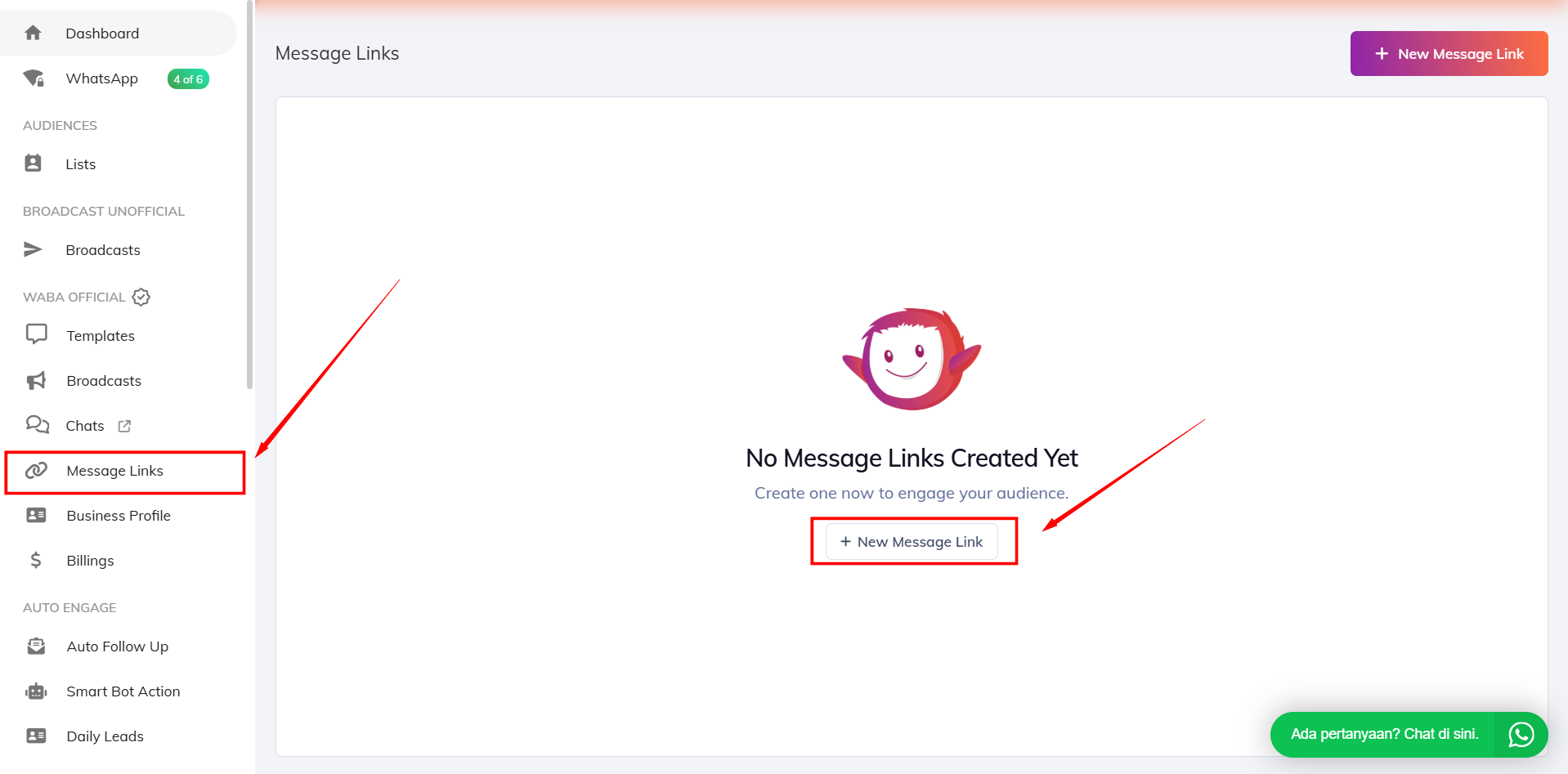
Pertama kunjungi menu **Message Links** dan tombol **New Message link**.
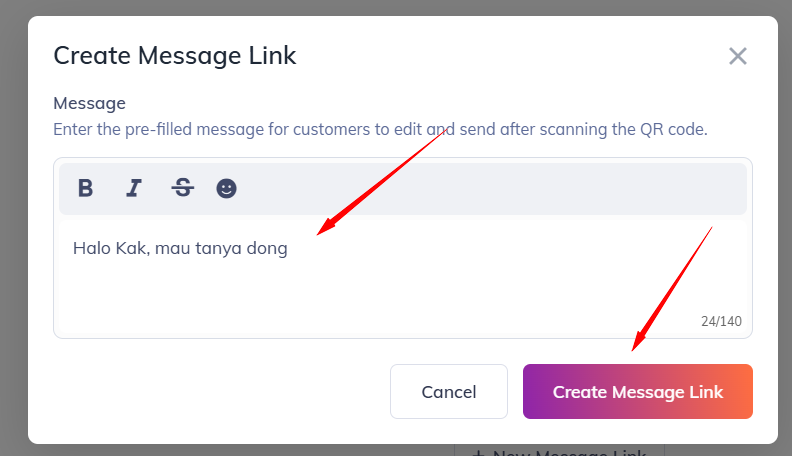
Lalu isi pesan yang Kamu inginkan dan klik tombol **Create Message Link**. Pesan ini nantinya akan otomatis muncul saat customer menghubungi nomor WABA Kamu.
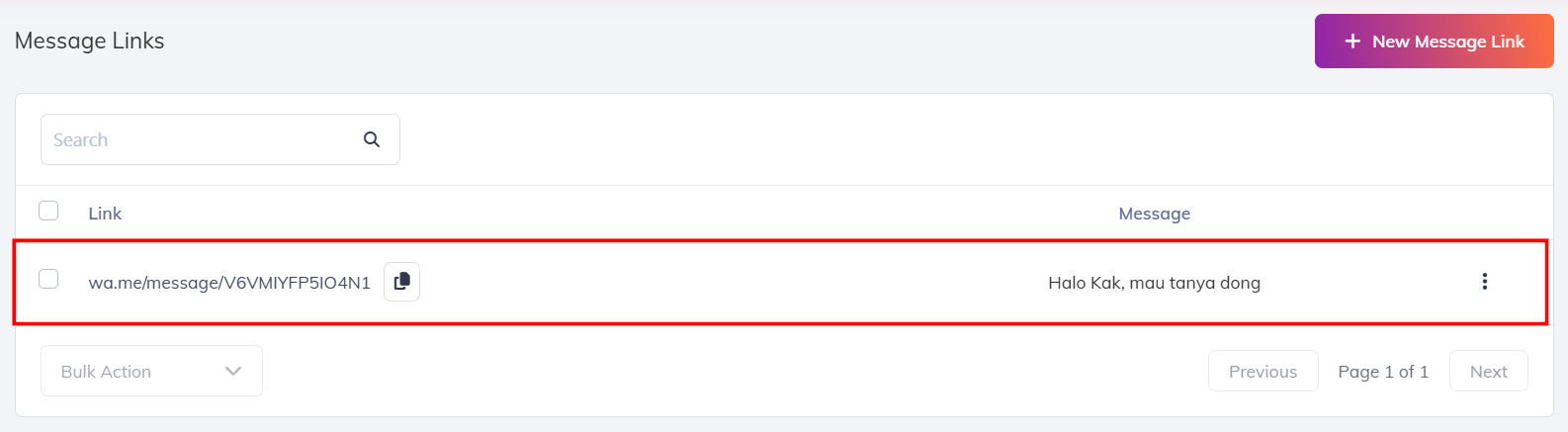
Maka akan muncul tampilan seperti ini.
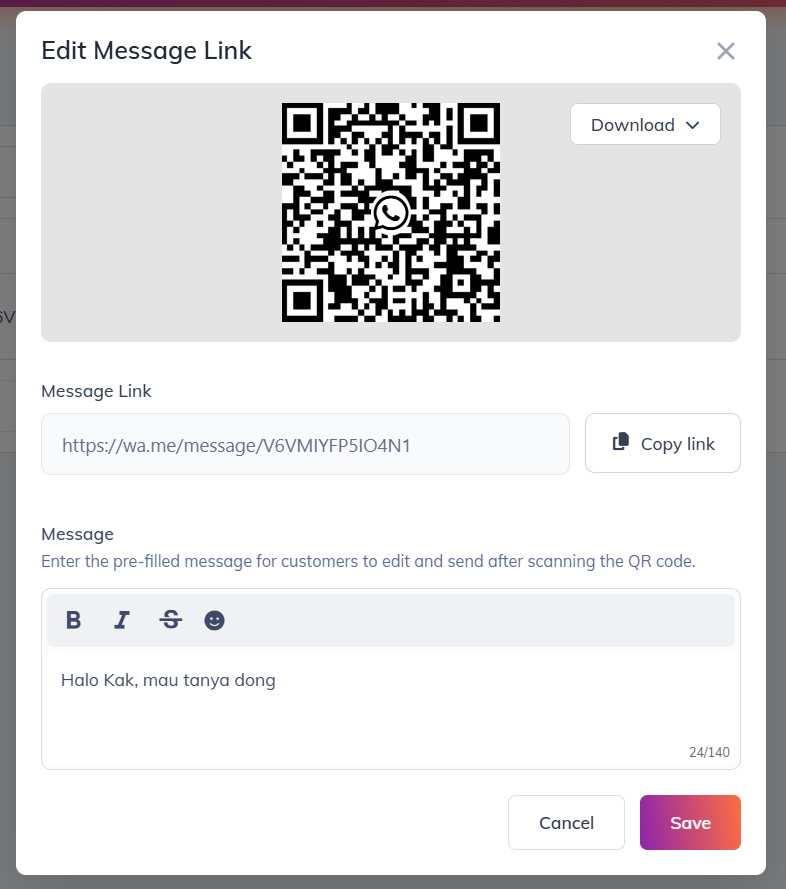
Kamu bisa klik list message link yang sudah dibuat tersebut untuk memuncul QR Cod seperti ini..
Selesai.